How to share a modpack on Modrinth?

On modrinth, the normal way to share modpacks between people is to use the app to export an mrpack file. This guide shows you how to export the .mrpack file so you can send it to other people to install the modpack.

Creating an mrpack

Sharing a modpack on Modrinth

A simple step-by-step guide to publishing and sharing your modpack on Modrinth so others can easily download and play your Minecraft setup.

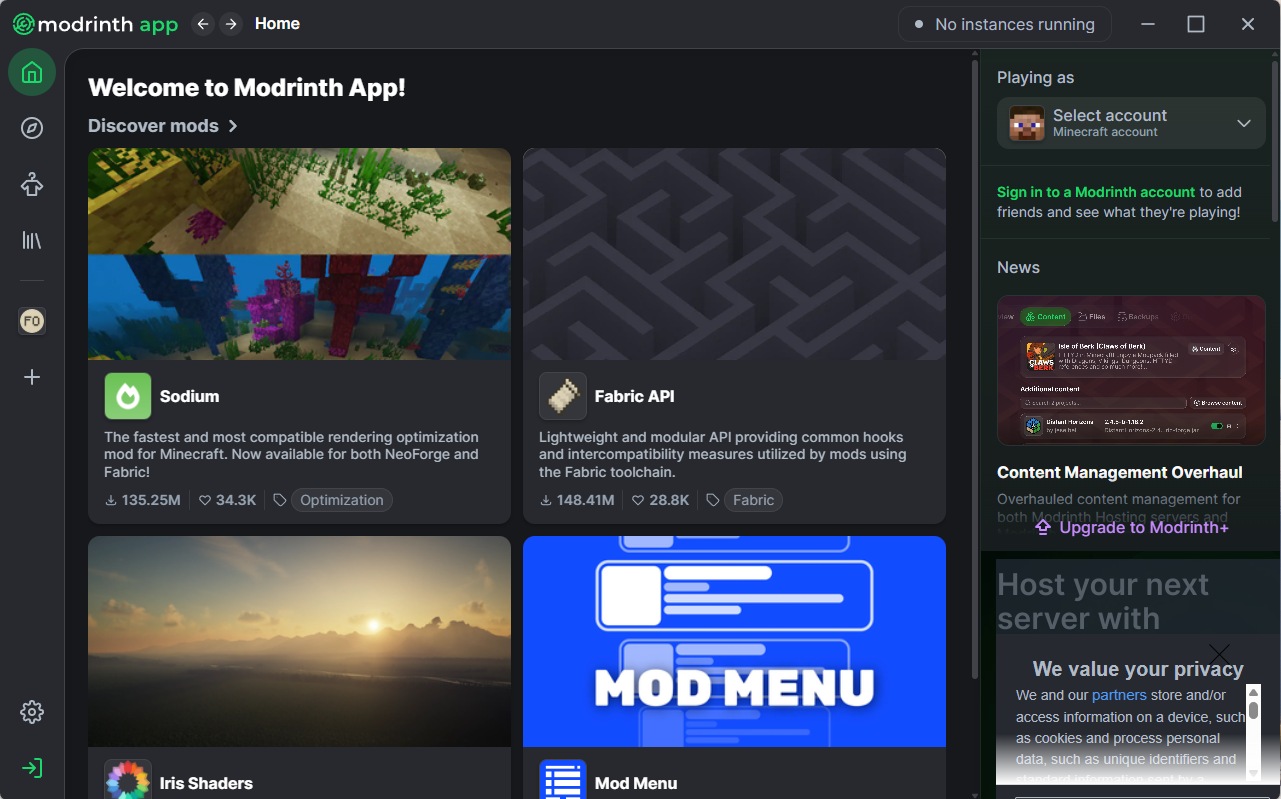
Open up the Modrinth app

Step 1: Open up the Modrinth app

First, you'll want to open up the modrinth app. We have a guide on how to install it here
Export The Modpack

Step 2: Export The Modpack

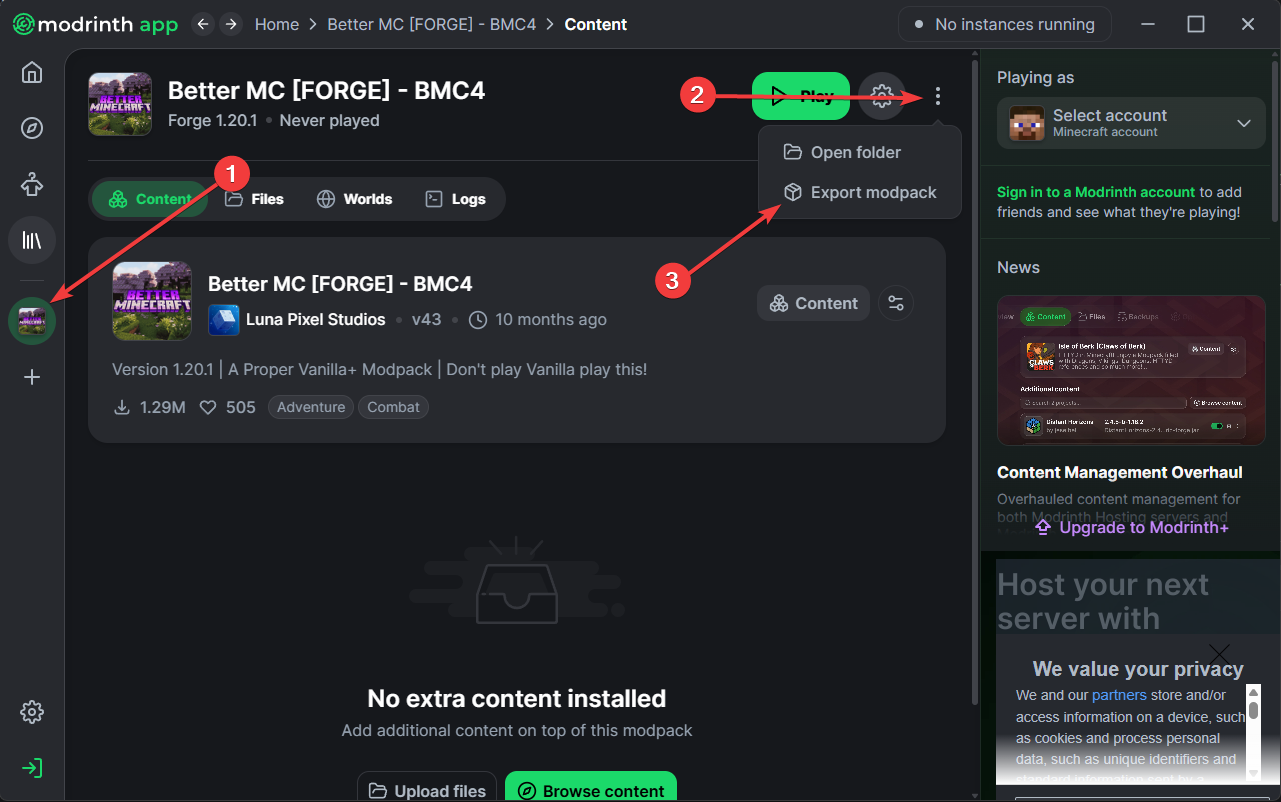
Now that the modpack has downloaded, head to the modpack using the bar on the left of your App. From there press the three dots in the top right, and then press Export modpack.
Fill In Details

Step 3: Fill In Details

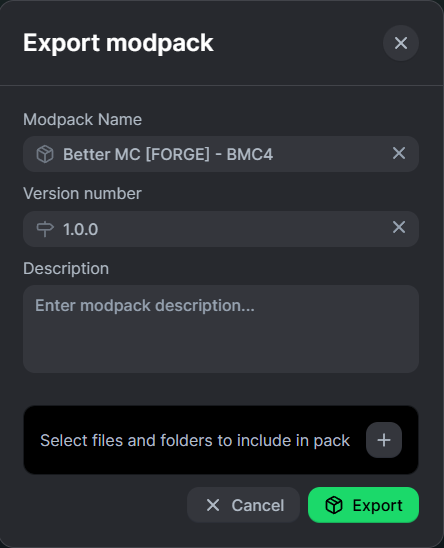
You should see a popup when you press export modpack that gives you the option to enter the Modpack Name, the Version number for the modpack, and a description of the modpack. Just fill in those fields as you'd like!
Save Modpack

Step 4: Save Modpack

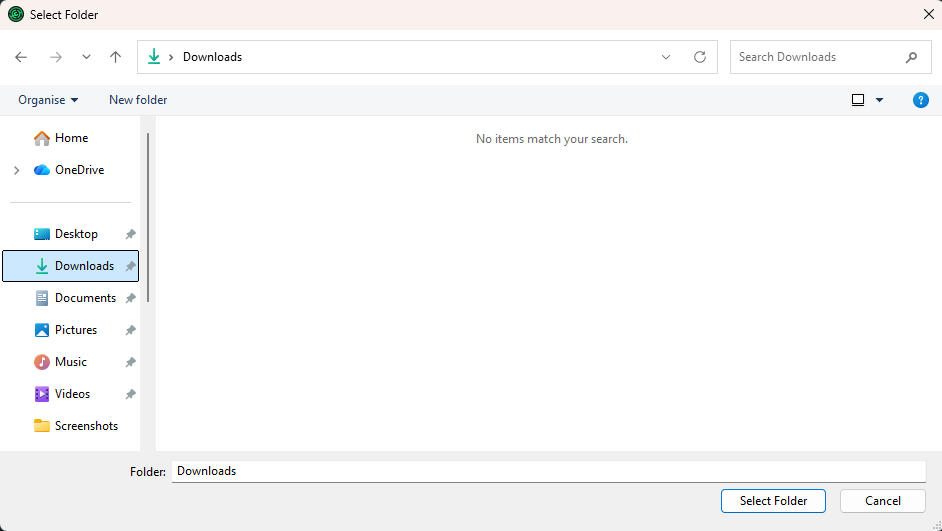
Navigate to where you want to save your modpack onto your own PC, and press select folder.
Exporting Pack

Step 5: Exporting Pack

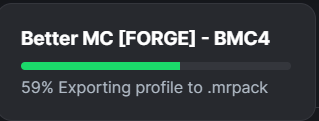
Once you press select folder, it should show a progress bar in the top right that will tell you that your modpack is exporting.
Your Pack is Exported!

Step 6: Your Pack is Exported!

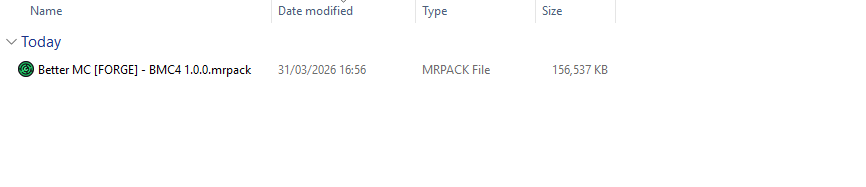
Now you can just navigate to where you saved the modpack in Step 4, and you should find a .mrpack file there that will contain your modpack!

For a guide on how to install a .mrpack file to the Modrinth App, checkout this guide here
Index

All Your Modrinth Questions Answered

Each of these cards contains a link to a page that answers a commonly asked question about using Modrinth!

Want to try the modpack you shared on a server?

PebbleHost offers premium game server hosting for every type of Modrinth resource including mods, plugins and datapacks! Enterprise hardware with AMD Ryzen™ 9 9900X CPUs, 99.99% uptime, and 72-Hour money-back guarantee.

View Minecraft Server Hosting